Before You Withdraw
Only programs that no longer have any positions available to begin in 2024 should withdraw from the Match.
No Applicants to Rank: If a program has positions available to begin in 2024 that you would like to fill but has no acceptable applicants to rank, you should certify a Rank Order List with no ranks in the NMS Match System. Do not withdraw the program from the Match. The program will remain active in the Match, and will be included in the Post-Match Process.
Implications of Withdrawing
A withdrawn program will not be included in the matching process and will not be matched with any applicants. Furthermore, a program that is withdrawn for Phase II of the Match will not be included on the List of Participating Programs for the Post-Match Process.
If a program is withdrawn, it will not be carried over automatically to the Post-Match Process.
If you withdraw a program, any rankings of applicants that may have been submitted for the program will not be used in the Match. Programs that certify a Rank Order List and do not withdraw by the Rank Order List deadline will be included in the Match and will be obliged to accept the Match results.
How to Withdraw a Program
To withdraw a program from the Match:
- Log in to the NMS Match System for the program
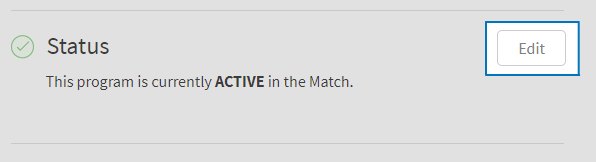
- Select the Edit button in the Status section of the Dashboard
- Select a reason for the withdrawal
- Enter your password and press Submit to confirm the withdrawal.
How to Reinstate a Program
-
The program was withdrawn in Phase I of the Match
If you withdrew a program in Phase I of the Match it will not be carried over automatically to Phase II. If you want to reinstate this program in Phase II, you must send a written request to NMS on your residency’s letterhead, signed by the Program Director, indicating:
- The name of the residency
- The name and Match Code Number of the program
- The total number of positions to be offered by the program in Phase II
- The reason why the reinstatement of the program for Phase II is required
The request must be sent to NMS as a scanned email attachment to ashprmp@natmatch.com and must be received at NMS as soon as possible, and no later than 5:00 p.m. Eastern Time on April 3, 2024.
-
The program was withdrawn during Phase II of the Match
If you withdraw a program during Phase II of the Match but then decide to submit a Rank Order List for the Match, you can reinstate the program through the NMS Match System prior to the Phase II Rank Order List deadline (April 3, 2024 at 11:59 p.m. Eastern Time).
To reinstate the program in the Match:
- Log in to the NMS Match System for the program
- Select the Edit button in the Status section of the Dashboard.
- Enter your password and press Submit to complete the reinstatement.